Are you tired of limited streaming options on your Roku device? Looking for a versatile solution to access more content? The roku smarters player might be exactly what you need. This powerful application has transformed how users access streaming content on their Roku devices, offering flexibility and features that standard applications can’t match. As cord-cutting becomes increasingly popular, tools like the Roku Smarters Player are gaining traction among streaming enthusiasts looking for more control over their entertainment options.
Table of Contents
What is roku smarters player?
The roku smarters player is a specialized streaming application designed for Roku devices that allows users to access IPTV services. Unlike standard streaming apps, it functions as a versatile player that can connect to various content sources through URL-based connections or playlists. The player supports multiple video formats and streaming protocols, making it a gateway to a vast library of channels and on-demand content that might not be available through conventional streaming services. It’s essentially a bridge between your Roku device and customizable content options, giving users greater control over their streaming experience.
Main Features & Benefits
- Multi-Format Support: Handles various stream types including HLS, M3U, and MPEG-TS
- User-Friendly Interface: Intuitive navigation designed specifically for Roku’s remote control
- Customizable Categories: Organize channels by genre, language, or personal preference
- EPG Integration: Electronic Program Guide support for live TV viewing
- Multiple Connection Methods: Supports both direct URL input and playlist uploads
- Favorites System: Save and quickly access preferred channels
- Parental Controls: Restrict access to certain content categories
- Low Resource Usage: Optimized performance even on older Roku models
- Regular Updates: Continuous improvement with new features and bug fixes
The application stands out for its stability compared to similar players, with optimized buffering algorithms that reduce playback interruptions common with IPTV services.
How to Set Up or Use roku smarters player
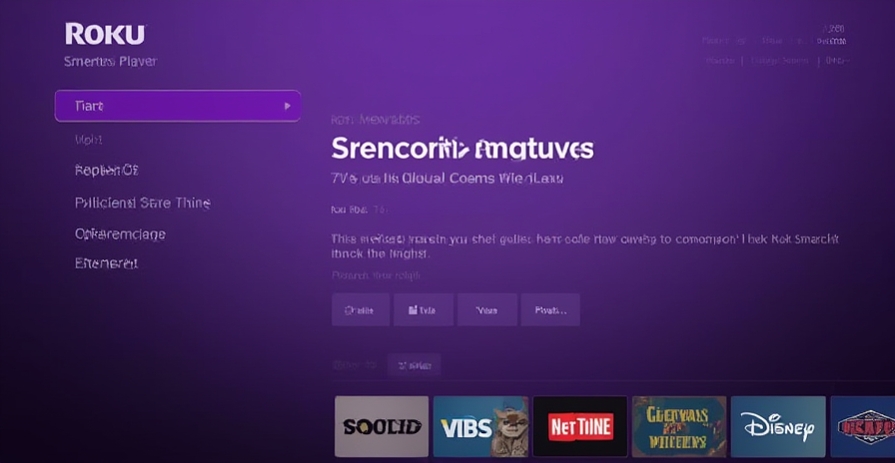
Setting up the roku smarters player is straightforward:
- Add the Smarters Player channel to your Roku device through the Roku Channel Store
- Launch the application and select “Login with Xtream Codes” or “Add M3U Playlist”
- Enter your service provider credentials or playlist URL when prompted
- Wait for the application to load your channel list and EPG data
- Navigate to your preferred content category using the Roku remote
- Select and enjoy your content!
The player is compatible with all current Roku models, including Roku Express, Streaming Stick, Ultra, and Roku TV. For optimal performance, a stable internet connection with at least 10 Mbps download speed is recommended for HD content.
Troubleshooting & Common Errors
- Buffering Issues: Try reducing video quality in settings or restart your router
- Channel Loading Failure: Check if your playlist URL is current and properly formatted
- Black Screen: Clear the application cache through Roku settings menu
- EPG Not Showing: Verify that your service provider includes EPG data in their package
- Authentication Errors: Ensure your subscription is active and credentials are correct
Most connection issues can be resolved by checking your internet stability or restarting both your Roku device and home network equipment.
User Experience & Performance
The roku smarters player delivers a smooth, cable-like experience with minimal learning curve. The interface adapts well to Roku’s ecosystem, maintaining consistent navigation patterns that feel familiar to regular Roku users. Video quality depends largely on your content source, but the player itself supports up to 4K streaming where available. Load times are impressively quick, with most channels starting playback within 1-3 seconds on modern Roku devices connected to high-speed internet.
Comparison With best iptv
When compared to best iptv services, the roku smarters player offers several advantages:
- More streamlined interface specifically designed for Roku devices
- Better integration with Roku’s remote control functionality
- Potentially faster loading times due to platform-specific optimization
- Regular updates through Roku’s official channel system
However, some iptv encoder options may offer more advanced features like recording capabilities or more extensive customization options that aren’t available in the roku smarters player.
Final Verdict
The roku smarters player delivers exceptional value for Roku users seeking expanded content options. Its combination of ease-of-use, reliability, and compatibility makes it a standout choice for accessing iptv services on Roku devices. While it may lack some advanced features found in standalone IPTV applications, its seamless integration with the Roku ecosystem creates a superior user experience for most streaming needs.
FAQs
Is roku smarters player free to use?
The application itself is free to download, but you’ll need an iptv subscription or free trial from a service provider to access content.
Can I use roku smarters player with any IPTV service?
Yes, it’s compatible with most providers that offer M3U playlists or Xtream Codes login options.
Does it support VOD (Video on Demand) content?
Yes, the player supports both live channels and on-demand content when available from your service provider.
Will using roku smarters player void my Roku warranty?
No, it’s a legitimate channel available through official channels, unlike sideloaded applications on other platforms.
How often is the application updated?
Updates typically roll out every 1-2 months with performance improvements and feature enhancements.